

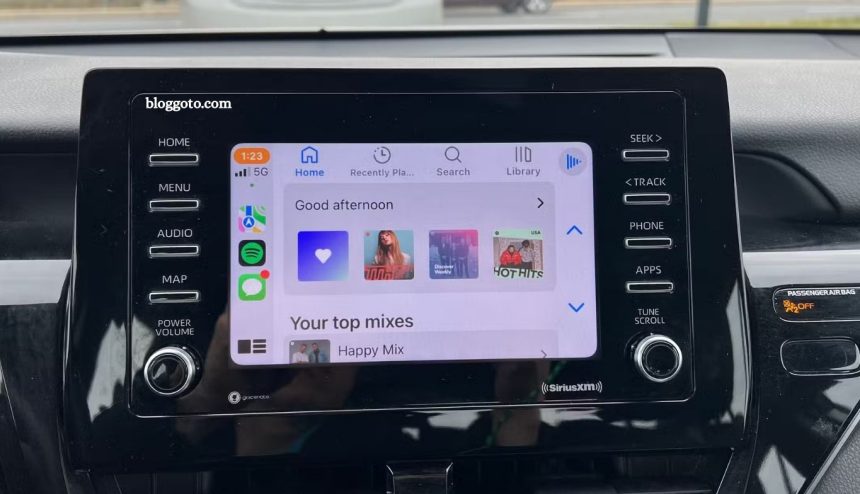
Apple CarPlay transforms your driving experience by bringing iPhone apps directly to your car’s infotainment screen. While it comes with essential built-in apps, third-party apps can take functionality, convenience, and safety to the next level. From real-time navigation and traffic alerts to podcasts, audiobooks, weather forecasts, and EV charging stations, the right apps make every drive smoother and more enjoyable.
In this guide, we explore the top apps that supercharge Apple CarPlay, helping you stay connected, entertained, and informed on the road. Whether commuting or taking a long road trip, these apps enhance every journey.
Read More: 7 Common Tech Myths That Are Costing You Money
Waze
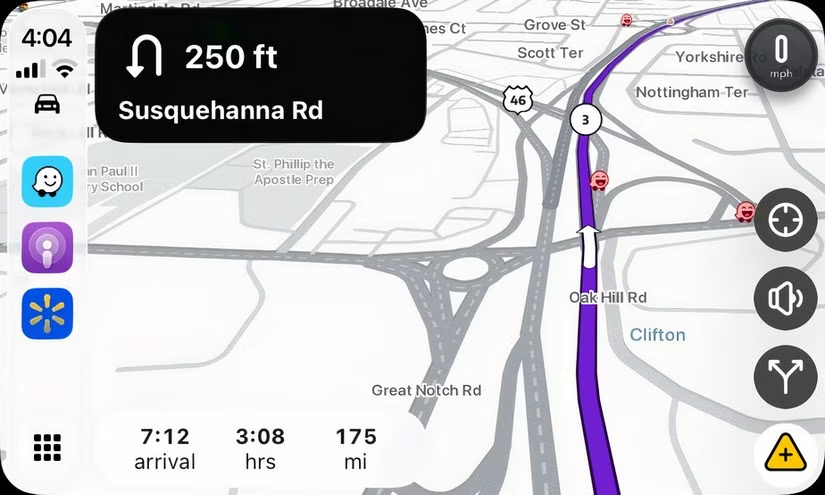
Acquired by Google in 2013, Waze remains a standalone app, offering features that set it apart from Google Maps. Its strength lies in crowdsourcing, allowing drivers to report road hazards, police sightings, and speed traps in real time.
Waze excels at dynamic rerouting. If an accident is reported 25 miles ahead, CarPlay shows the issue and suggests faster alternatives, keeping your drive smooth and stress-free.
Customization adds another layer of appeal—you can adjust the Waze assistant’s voice, icon appearance, and more, creating a personalized navigation experience.
While Google Maps is better for multi-stop trips or finding businesses, Waze’s real-time updates and user-driven alerts make it the go-to choice for everyday navigation.
Overcast
For podcast lovers, Overcast is a top choice for in-car listening. While most features are free, a premium subscription removes ads and adds extra perks.
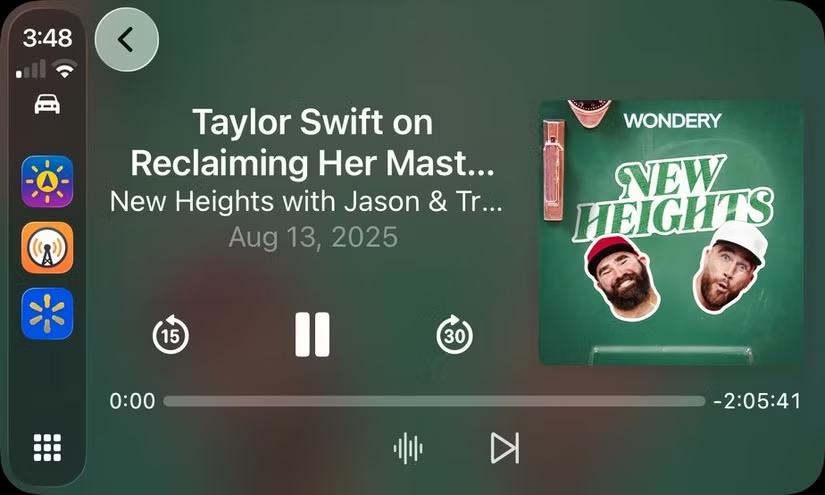
Overcast shines with Smart Speed and Voice Boost. Smart Speed shortens silences without distorting speech, cutting down listening time while keeping conversations natural. Voice Boost levels audio across episodes, making it easy to hear every word without constantly adjusting your car’s volume.
Audible
For audiobook enthusiasts, Audible stands out with features that other platforms, like Apple Books, lack. Its subscription model offers discounted monthly titles, making it easier to grow your library.
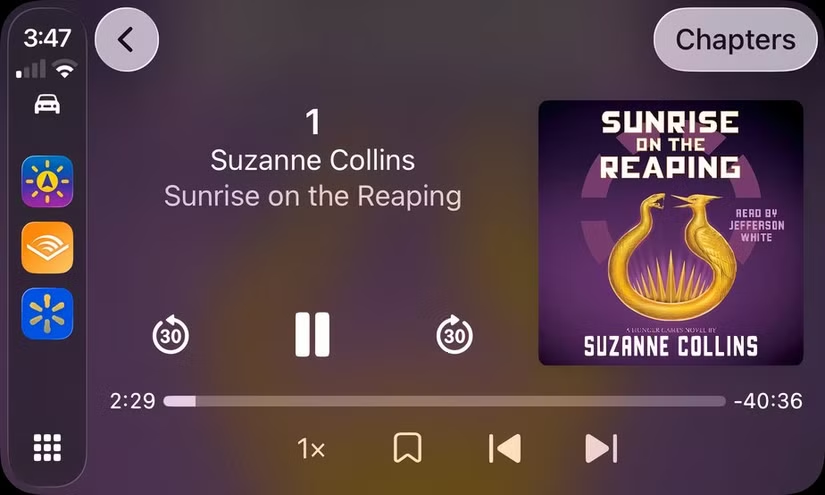
A standout feature is Whispersync for Voice, which seamlessly syncs your Kindle eBook with the audiobook. In the car, you can effortlessly continue listening right where you left off on another device.
While Audible excels for frequent listeners, casual audiobook users may find a subscription less necessary, as the differences with other apps become minimal.
Libby
Libby is the go-to app for borrowing audiobooks and e-books from your local library. Free to use, it also provides access to digital magazines. To listen in the car, simply download your audiobook to your iPhone, and it will appear on the CarPlay display.

With over 45,000 free audiobook titles, Libby offers more than enough content for long drives or daily commutes.
Weather on the Way
Unlike typical weather apps, Weather on the Way focuses on forecasts along your specific route. It provides a real-time timeline of the weather you’ll encounter during your drive.
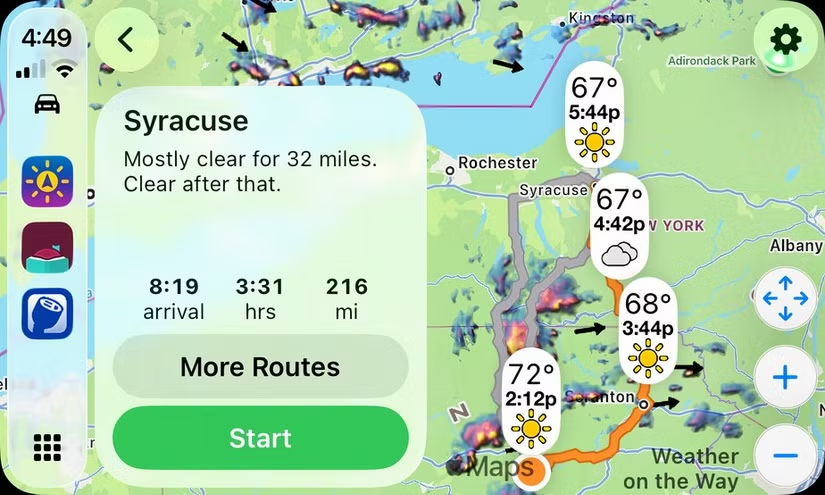
Ideal for long-distance travelers, commuters, and truckers, the app helps you plan ahead with confidence. The free version offers basic features, while a yearly subscription unlocks the full suite of tools.
PlugShare and Other Fueling Apps
All vehicles need fuel—whether gasoline or electricity—and CarPlay apps make finding it easier.
For EV drivers, PlugShare helps locate available charging stations using an interactive map. You can filter by plug type, charging speed, or network. The app’s active community provides reviews, photos, and tips, making it a valuable resource for both new and experienced EV owners.
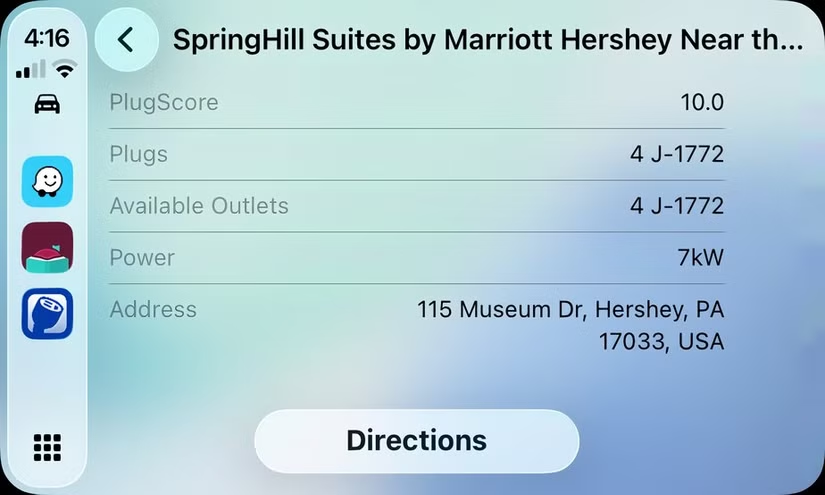
For gas-powered cars, most major stations have apps that show the nearest locations on CarPlay, and retailers like Walmart include fueling info in their apps, simplifying every stop along your route.
Frequently Asked Questions
What is Apple CarPlay?
Apple CarPlay is a system that connects your iPhone to your car’s infotainment screen, allowing you to access apps for navigation, music, messaging, and more safely while driving.
Can I use third-party apps on Apple CarPlay?
Yes. CarPlay supports a variety of third-party apps for navigation, podcasts, audiobooks, weather, EV charging, and fuel stations. Apps like Waze, Overcast, Audible, Libby, and PlugShare enhance functionality beyond Apple’s built-in apps.
Are these apps free?
Many CarPlay apps offer free versions, though some include premium subscriptions for extra features. For example, Overcast and Audible have optional subscriptions, while Libby and PlugShare are mostly free.
Do I need an internet connection for these apps?
Most apps require an internet connection for real-time updates, such as navigation, podcast streaming, or weather forecasts. Some apps, like Libby or Audible, allow offline access once content is downloaded.
Can I customize these apps on CarPlay?
Yes. Many apps, like Waze and Overcast, allow customization such as voice guidance, map appearance, or audio settings for a more personalized experience.
Will using these apps distract me while driving?
Apple CarPlay is designed to minimize distraction by providing simplified interfaces, voice control, and steering wheel integration. Always use apps responsibly and follow local driving laws.
Conclusion
Apple CarPlay offers a seamless way to stay connected and entertained while driving, but third-party apps take the experience to the next level. From real-time navigation with Waze to podcasts on Overcast, audiobooks via Audible or Libby, weather forecasts with Weather on the Way, and fuel or EV charging with PlugShare, these apps enhance safety, convenience, and enjoyment on the road. Integrating them into your CarPlay setup ensures every drive is smarter, smoother, and more engaging.