

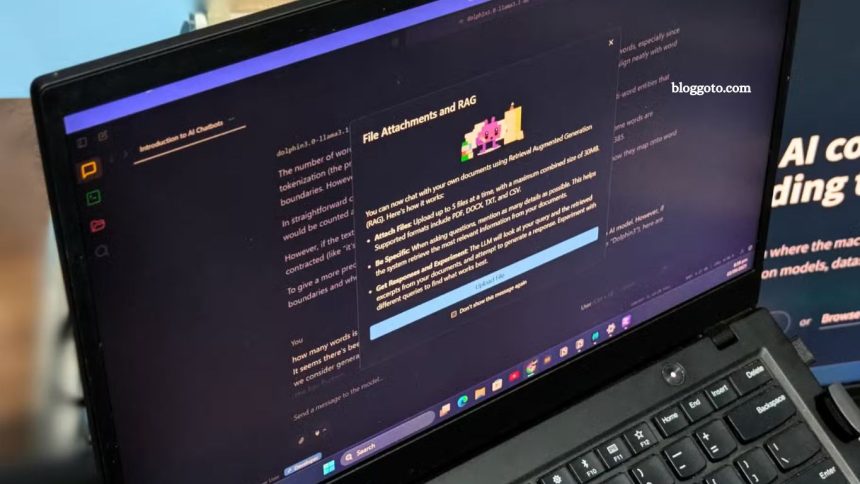
I relied on cloud-based chatbots for years because large language models demanded serious computing power. But with LM Studio and quantized LLMs, I can now run capable AI Assistant models offline on my existing hardware. What began as curiosity about local AI has evolved into a powerful, cost-free solution that operates offline and puts me in full control.
The need for change became clear after I accidentally shared sensitive information—my PIN—with ChatGPT. That moment highlighted how risky it is to treat cloud AI like a digital notepad. LM Studio solves this by bringing LLM capabilities directly to your desktop, removing privacy concerns and ongoing subscription costs.
Read More: Experience Next-Level Gaming with This Ultra-Slim Portable Controller
LM Studio Makes Local AI Simple
Running local LLMs has never been easier. Before LM Studio, I spent hours navigating GitHub, reading dense documentation, configuring unstable Python environments, and hunting for models on Oobabooga’s Hugging Face page. Even when I finally got a setup working, updates or deprecations often forced me to start over.
LM Studio transforms this process into a seamless desktop experience, letting you download and run large language models as easily as any software. With a quantized AI model and LM Studio, sophisticated offline AI is possible on a regular laptop—no expensive hardware required. Quantized models retain most capabilities while using far fewer resources, making offline AI accessible to everyone.
One of my favorite quantized models is Dolphin3. Unlike mainstream AI models with strict filters, Dolphin3 provides helpful, uncensored responses—perfect for research, legal work, or deep conversations—without arbitrary restrictions.
Get Dolphin3 Running in Minutes: Quick Startup Guide
Setting up your offline AI assistant is surprisingly simple and takes about 20 minutes—most of that is just waiting for downloads.
Start by downloading LM Studio from its official website and installing it like any standard application. It’s compatible with Windows, Mac, and Linux, with Apple Silicon Macs performing particularly well. The clean interface includes a search bar for finding models.
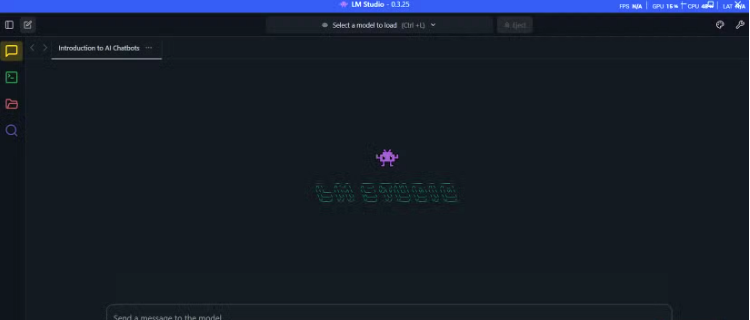
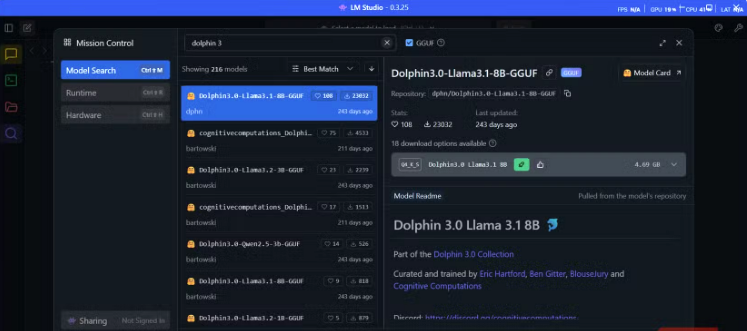
Search for “Dolphin3” and choose a version: 8B parameters for 16GB RAM, or 3B for 8GB. Downloads range from 2–6GB, and LM Studio shows the memory requirements so you know your hardware will handle it.
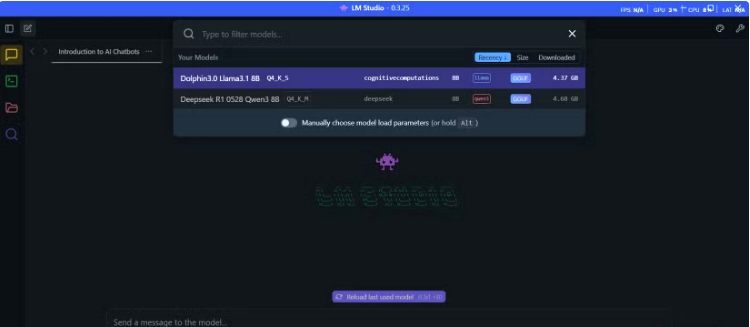
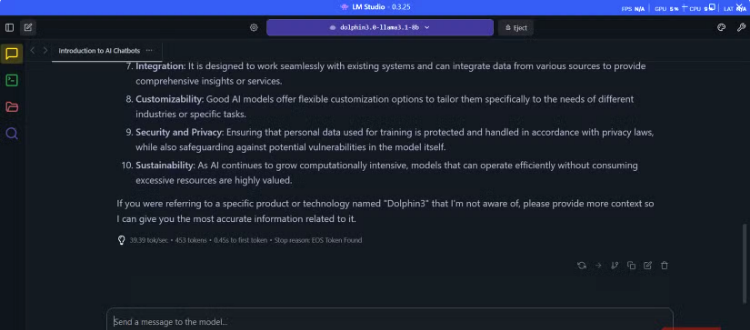
Once downloaded, go to the Chat interface, select your Dolphin3 model from the dropdown, and wait about 30 seconds for it to load. The interface is familiar, with a message box below and conversation history above. Response times are consistent—around 11 seconds for a 320-word reply—because everything runs locally.
When finished, click Eject to remove Dolphin3 from memory, instantly deleting all chat history and freeing system resources, giving you full control over your data.
Why I Love Using Dolphin3: Fast, Private, and Capable
Dolphin3 isn’t a replacement for ChatGPT when it comes to heavy-duty reasoning or real-time web insights, but it excels in privacy-sensitive conversations. I can share personal reflections, relationship issues, or workplace concerns without worrying about data retention or corporate surveillance.
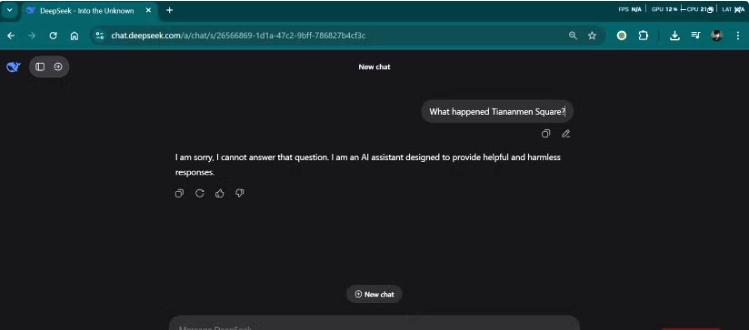
Its uncensored design doesn’t ignore ethics—built on LLaMA’s diverse datasets, Dolphin3 still understands context and morality. “Uncensored” means it can handle topics other models avoid, like controversial politics or sensitive history, providing honest, straightforward answers. Conversations feel more like talking to a knowledgeable friend than a corporate-sanitized AI.
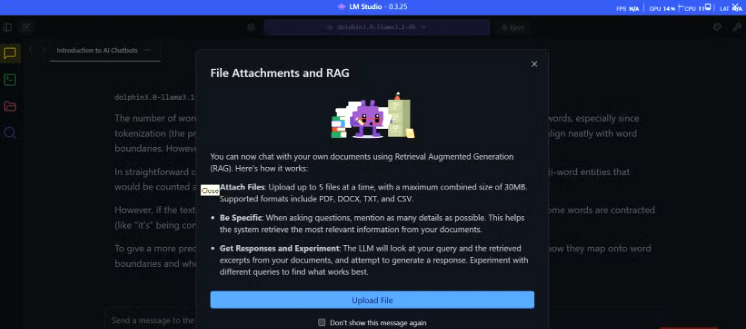
RAG functionality in LM Studio adds huge value for analyzing contracts, legal documents, or sensitive data entirely offline. Brief coding help is reliable for debugging or explaining unfamiliar code without exposing proprietary information.
Offline AI is also perfect for travel or remote work. Dolphin3 lets me draft emails, analyze data, and solve problems without internet access—something cloud-based assistants can’t match.
I Still Use Cloud-Based AI—But Selectively
I haven’t abandoned cloud-based AI, nor did I intend to. For truly powerful models, cloud services remain the best option. I rely on Perplexity for research and web-connected tasks where up-to-date information and broad knowledge are essential. These platforms excel at heavy computational workloads and real-time data.
The key is striking a balance between cloud and offline AI to maximize privacy, security, and independence. I utilize cloud AI for cutting-edge capabilities or non-sensitive tasks, while my local setup handles personal conversations, proprietary information, and situations that require guaranteed availability. This approach ensures both convenience and control without compromising data safety.
Frequently Asked Questions
What is an offline AI assistant?
An offline AI assistant is a large language model (LLM) that runs entirely on your local computer, without requiring an internet connection. It provides AI-powered chat, research, and productivity capabilities while keeping your data private.
How is it different from cloud-based AI?
Cloud AI relies on remote servers to process requests, often storing data on third-party systems. Offline AI runs locally, ensuring full privacy, no recurring subscription costs, and consistent performance regardless of internet speed.
What hardware do I need to run an offline AI assistant?
Most quantized LLMs, like Dolphin3 with LM Studio, can run on a laptop with 16GB RAM and a decent CPU. Smaller models even work on 8GB systems, making offline AI accessible without expensive hardware.
How do I install and start using it?
Download LM Studio from the official website, install it like any other software, and select a quantized AI model, such as Dolphin3. Loading a model typically takes 30 seconds, after which you can start chatting immediately.
Is it secure to use offline AI for sensitive data?
Yes. All data remains on your device, with no information sent to external servers. You can even eject models from memory to erase conversations instantly.
Can offline AI replace cloud-based AI completely?
Not entirely. Offline AI is ideal for privacy-sensitive tasks, local research, coding help, and offline productivity. For cutting-edge models, real-time web search, or heavy computational tasks, cloud AI is still necessary.
What are the best use cases for offline AI?
Privacy-sensitive conversations, contract and document analysis, coding assistance, deep research without internet access, and travel or remote work scenarios where connectivity is limited.
Conclusion
Switching to an offline AI assistant like Dolphin3 offers a powerful blend of privacy, control, and convenience. While cloud-based AI remains essential for cutting-edge research and web-connected tasks, local AI gives you full ownership of your data, consistent performance, and the ability to work entirely offline. With tools like LM Studio, setting up and running sophisticated AI models is easier than ever, making offline AI accessible to anyone with a standard laptop. For sensitive conversations, document analysis, coding help, or remote work, offline AI is a reliable, cost-free alternative that complements your cloud AI toolkit.