

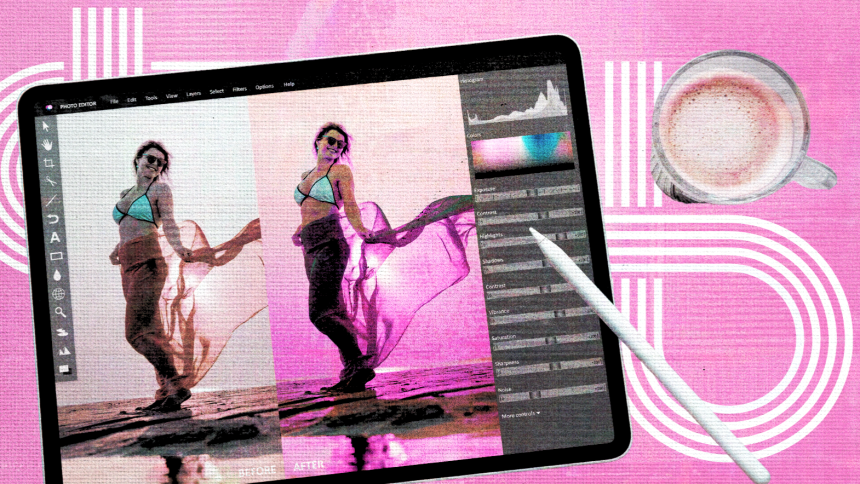
If you’ve ever needed to add a filter or some text to a photo and felt overwhelmed by overpowered software or underwhelmed by tools that barely get the job done, this article is written for you. Whether you’re a small business owner creating social graphics, a content creator building a consistent visual brand, or someone who simply wants a clean and polished image without a design degree, the right online photo editor can make that process fast and frustration-free. By the end of this article, you will know which features to look for, how to evaluate your options objectively, and which tools are worth your time in 2026.
What “User-Friendly” Actually Means for Photo Editing
The phrase “user-friendly” gets thrown around so loosely that it has nearly lost its meaning. For the purposes of evaluating online photo editors, it should refer to a specific set of qualities: how quickly a new user can produce a usable result, how little prior design knowledge is required, and whether the tool’s most-used features are accessible within one or two clicks of landing on the page.
A tool that requires you to create an account before you can even upload an image is adding friction before the editing even starts. A tool that buries its filter library inside three nested menus is not user-friendly, regardless of how many options it contains. As you evaluate your options, hold the concept of “time to first finished edit” as your north star. A genuinely accessible tool should let a first-time user upload a photo, apply a filter, add text, and download the result in under five minutes.
The Eight Criteria That Actually Matter When Comparing Photo Editors
When evaluating online photo editors for filters and text, it helps to apply the same standard to every option you consider. The following criteria give you a consistent framework.
1. Ease of Onboarding Can you start editing without creating an account? Does the interface make it obvious where to begin? Tools that let you upload and start immediately have a meaningful advantage for users who need quick results rather than a long-term subscription relationship.
2. Filter Quality and Variety A large number of filters is less valuable than a thoughtfully curated set of high-quality ones. Look for tools that offer filters organized by mood or use case (portrait, landscape, black and white, vintage, cinematic) and that let you preview the effect before applying it.
3. Filter Intensity Control This single feature separates mediocre tools from useful ones. Any online editor worth recommending should let you dial the strength of a filter using a slider rather than applying it at full force. A filter at 40 percent intensity often looks far more natural and professional than the same filter at 100 percent.
4. Text Customization Depth The ability to add text is common. The ability to add text that actually looks good is rarer. Evaluate whether a tool lets you control font, size, color, spacing, alignment, and opacity. Bonus points if the tool includes font pairing suggestions or a library of pre-styled text templates that remove the guesswork.
5. Template and Starting-Point Options For users who are not starting from scratch, templates dramatically reduce the time between “I need a graphic” and “here is the finished graphic.” Look for tools that let you search templates by platform, use case, or visual style and that let you swap in your own photo while keeping the layout intact.
6. Export Quality and Format Options High-quality output in multiple file formats (PNG, JPG, and ideally PDF or SVG) ensures your edited image works across digital and print applications. Some tools compress files aggressively on free tiers, which can make images look degraded when shared or printed.
7. Mobile Compatibility In 2026, a significant portion of content creation happens on phones. An editor that functions well in a desktop browser but falls apart on a mobile device is not a practical everyday tool. Native mobile apps tend to outperform mobile browser experiences for tasks like precise text placement and filter comparison.
8. AI-Powered Features Background removal, generative fill, object removal, and text-to-image generation are no longer exclusive to professional software. The best accessible editors have incorporated these tools in ways that feel integrated rather than bolted on. For users creating social content at volume, these features can save significant time.
The Types of Online Photo Editors You Will Encounter
The online photo editor market breaks into a few recognizable categories, and understanding which type you’re looking at helps you evaluate whether it fits your actual workflow.
Template-First Design Platforms These tools are built around a library of pre-made layouts, and the photo editing features are in service of helping you customize those templates. They tend to be extremely approachable for beginners because the visual decisions are already made for you. The tradeoff is that if you want to edit a standalone image without a surrounding layout, the workflow can feel slightly roundabout. That said, for social media posts, promotional graphics, and branded content, these platforms offer an unmatched starting-point advantage.
Browser-Based Photo Editors These tools are designed specifically around the act of editing a photograph rather than building a composite layout. They tend to offer more granular control over color, tone, and filter intensity, and they feel more familiar to anyone who has used traditional photo editing software. Some are quite powerful and approach desktop-software quality. The challenge is that the more powerful they become, the steeper the learning curve tends to get.
Lightweight Utility Tools These are narrowly focused tools that do one or two things well. A tool built specifically for adding text overlays, or one that specializes in removing backgrounds, falls into this category. They are fast and require almost no learning, but they are not suitable as primary editors because they lack the flexibility to handle a range of tasks in a single session.
AI-Forward Editors A growing category in 2026, these tools lead with generative and machine-learning features. They tend to be strong for transforming photos in dramatic ways (style transfers, background replacement, AI avatars) but can be less reliable for precise manual adjustments. They are worth exploring if creative experimentation is part of your workflow, but they are harder to use for producing consistently branded, clean outputs.
Why Adobe Express Is Worth a Serious Look
Among the tools available in 2026,the Adobe Express image editor stands out as one of the more cohesive options for users who want filters, text, and more all in one accessible package. It occupies a compelling middle ground: approachable enough for users with no design background, but deep enough to produce genuinely polished results.
Three specific features make it worth highlighting in any honest evaluation.
First, the filter library in Adobe Express is powered by Adobe Photoshop technology, which means the quality of the effects is meaningfully higher than what you find in many web-based alternatives. The library is organized across multiple style categories, and every filter includes an intensity slider, so you can apply a cinematic look at 30 percent rather than committing to the full effect. That level of control, in a tool this accessible, is not a given in this category.
Second, the text tools are genuinely strong. Adobe Express gives you access to thousands of licensed Adobe Fonts directly inside the editor, along with pre-styled text templates that suggest font pairings and layouts suited to your project type. For users who want professional-looking typography without needing to understand typographic principles, this is a significant time-saver.
Third, the platform handles the full content creation workflow, not just the editing step. Once your image is edited, you can resize it to preset dimensions for every major social platform, schedule it for publishing through the built-in content scheduler, and store your brand colors, logos, and fonts in a centralized brand kit. For small businesses and solo creators who currently manage these steps across multiple tools, that consolidation has real practical value.
Adobe Express has a free plan that includes the core editing features, filters, and thousands of templates. A premium tier unlocks additional assets and AI features, but most users will find the free version sufficient for everyday content creation.
Practical Tips for Getting Better Results in Any Online Editor
Regardless of which tool you choose, the following practices will consistently improve the quality of your output.
- Start with the highest-resolution version of your image available. Editing a compressed or small image will result in a degraded export, especially if you resize the canvas.
- Apply your filter at reduced intensity before evaluating whether it needs more. Most filters look better at 50 to 70 percent than at full strength.
- When adding text, use no more than two font styles in a single image. Mixing a bold display font with a clean, readable body font almost always looks better than layering three or four decorative options.
- Use contrast between your text and the image behind it. Light text on light backgrounds and dark text on dark backgrounds are the most common readability failures in user-created content. If needed, add a semi-transparent shape behind your text to create separation.
- Check your finished image at the actual display size before downloading. An image that looks sharp at 100 percent zoom on your editing canvas may look quite different at the dimensions it will actually be displayed.
- If the tool you’re using offers a “start from photo” option rather than a blank canvas, use it. This preserves your original image dimensions and avoids unintentional resizing.
FAQ
Do I need to pay for a good online photo editor in 2026?
No, not necessarily, though free plans almost always come with some limitations worth understanding before you commit. Most reputable online editors offer free tiers that cover filters, basic text tools, and standard exports. Where free plans tend to fall short is in advanced AI features (like generative background replacement or AI-powered object removal), access to premium asset libraries, and the ability to export without a watermark. For casual users creating personal content or occasional social graphics, free tiers are often entirely sufficient. For users who need to produce branded content at volume, a paid plan tends to pay for itself quickly in time saved. The most important thing is to test the free version of any tool you are considering before making a purchasing decision, since the experience quality varies significantly from one platform to the next.
What is the best way to find free, high-quality photos to edit if I don’t have my own images?
Several well-established platforms offer high-resolution stock photography at no cost under licenses that allow editing and commercial use. Pexels is one of the most widely used and reliable, with a large and regularly updated library of photos across a broad range of categories and styles. Many online photo editors also have built-in stock image libraries, but the quality and breadth of a dedicated stock platform tends to be higher. When downloading stock images, always confirm the license terms for your specific use case, particularly if the final image will be used in advertising or promotional materials.
How do I know if an online photo editor will actually work well on my phone?
The most reliable way to check is to look for whether the tool has a dedicated native mobile app rather than relying solely on a mobile browser experience. Native apps are optimized for touch interactions, which matters when you’re trying to precisely position a text element or compare filter options side by side. Browser-based tools can work on mobile, but text resizing, touch targets, and panel navigation often feel clunky on smaller screens. If the tool you’re considering has both a web version and a mobile app, download the app and test it with a real image before committing to a workflow that depends on mobile editing.
Is it safe to upload personal or client photos to an online photo editor?
It is a reasonable concern, and the answer depends heavily on the specific platform and how you are using it. Reputable tools from established companies typically describe their data practices in a privacy policy, including how long uploaded images are stored and whether they are used for purposes like training AI models. Before uploading sensitive personal images or confidential client work to any online tool, it is worth spending five minutes reviewing the platform’s privacy documentation. Many tools process and discard uploaded images immediately after export and do not store them on their servers. As a general practice, avoid uploading images that contain personally identifiable information you would not want a third party to access, regardless of the platform’s stated policies.
What features should a small business owner specifically prioritize when choosing an online photo editor?
For small business users, consistency and speed are the two most important variables. You are likely producing images across multiple formats (social posts, email headers, website graphics, promotional materials) and need them to look cohesive without investing hours in each one. That means you should prioritize tools that offer brand kit functionality (the ability to store your logo, brand colors, and preferred fonts so they are always available), a strong template library organized by use case, and reliable resizing tools that let you adapt a single design to multiple platform dimensions quickly. AI features like background removal and one-click enhancements are also valuable at the small business level because they reduce the number of images you need to outsource to a designer. Filter quality matters less to most small business owners than it does to photographers or content creators, since the goal is usually a clean, branded look rather than a stylized editorial aesthetic.
Conclusion
The online photo editor market in 2026 offers more capable free tools than at any point in the past, which is genuinely good news for anyone who needs to produce polished visual content without a professional design background. The right choice depends on your specific workflow: how often you edit, whether you start from templates or your own photos, whether mobile editing is part of your routine, and how much text customization your use cases require.
Apply the eight criteria outlined in this article to any tool you evaluate, and pay particular attention to filter intensity control and text customization depth, since those two features have the largest impact on whether your finished images look professionally produced or obviously homemade. Tools like Adobe Express offer a strong combination of filter quality, font access, and workflow features that make them worth testing even if you already have a tool you’re accustomed to. Whatever you choose, start with the free version, edit a real project, and let the output quality make the final argument.