

Online blocks, whether from forums, games, or temporary IP bans, can be frustrating. The good news: you don’t always need a VPN. Simply using your phone’s hotspot instantly provides you with a new IP address.
Why You Might Need to Change Your IP
Changing your IP isn’t always about hiding your location. Sometimes it’s just a matter of resetting after a forum lockout, game ban, or data scraping limit.
You don’t need complex encryption or to appear in another country—just a fresh IP. Luckily, your smartphone makes it simple: switch on your mobile hotspot, connect your computer, and you’ll instantly get a new IP without a VPN.
Read More: The Weak Feature That Keeps Me From Buying a MacBook (And It’s Not the Price)
How Mobile Hotspots and CGNAT Hide You in the Crowd
Mobile carriers rely on Carrier-Grade NAT (CGNAT), which routes thousands of users through a shared public IP instead of giving each phone its own. When you browse on mobile data, websites see the shared IP, not your device.

This creates built-in anonymity. The IP you’re using is likely shared by dozens of people nearby. Toggle airplane mode, and you don’t just get a new address—you join a different crowd of users.
Inside CGNAT Architecture
Your laptop connects to your phone, which translates the signal, and the carrier’s CGNAT system translates it again before it reaches the Internet. Each step adds another layer between you and the sites you visit.
While it appears to offer privacy protection, CGNAT wasn’t designed for that purpose. Its real purpose is to stretch limited IPv4 addresses. Any anonymity you gain is simply a byproduct of shared infrastructure.
Change Your IP Address with a Mobile Hotspot
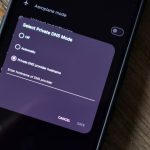
The fastest way to obtain a new IP address is by using your phone’s Wi-Fi hotspot. Connect your computer, toggle airplane mode on and off, and you’ll usually receive a fresh address. If your carrier gives you the same IP, repeat the step until it rotates.
On Android: Swipe down, tap the hotspot icon, and connect your laptop. Set a strong password for security. When you need a new IP address, toggle airplane mode on and off, then reconnect.
On iOS: Go to Settings > Personal Hotspot > On. To refresh your IP, simply toggle airplane mode the same way.
Each reconnection forces your carrier to assign a new IP from its large dynamic pool. Unlike home internet, which may lock you to one IP for weeks, mobile networks rotate addresses constantly—you’re just triggering the change on demand.
Limitations of Using CGNAT to Change Your IP
Switching IPs with a mobile hotspot won’t bypass geo-restrictions. Your new address still comes from the same carrier, city, and often the same tower—making it easy for services or authorities to link your activity.
Unlike a VPN, hotspots don’t encrypt traffic or hide browsing habits. Your carrier still sees the sites you visit, when you visit them, and how much data you use. While HTTPS protects content, metadata remains fully visible.
If privacy from carrier tracking is your goal, this method won’t help. Even a free VPN provides stronger anonymity and security.
Practical drawbacks also apply: mobile hotspots drain battery quickly, consume data rapidly, and experience unstable speeds during periods of tower congestion.
Frequently Asked Questions
Can I really change my IP without a VPN?
Yes. Using your smartphone’s hotspot and toggling airplane mode forces your carrier to assign a new IP address instantly.
Does this method work for bypassing geo-restrictions?
No. The new IP still comes from your local carrier, so you remain in the same region. For accessing blocked content in another country, a VPN or proxy is required.
Is using a mobile hotspot safe?
It’s safe for basic browsing, but your carrier can still see your activity. Unlike a VPN, this method doesn’t encrypt traffic or hide metadata.
How often can I change my IP with this trick?
As often as you like. Each time you toggle airplane mode or reconnect to your hotspot, you’re assigned a new IP from your carrier’s pool.
Will this method protect my privacy?
Only partially. While your IP changes, you’re still traceable through your carrier. For stronger privacy, a VPN offers better protection.
Are there downsides to using a hotspot for IP changes?
Yes—battery drain, limited data caps, and unstable speeds when the network is congested.
Conclusion
Changing your IP without a VPN is quick and simple using your phone’s mobile hotspot. By toggling airplane mode, you can force your carrier to assign a new IP address on demand—perfect for bypassing temporary bans, rate limits, or lockouts.
However, this method doesn’t replace the privacy and security of a VPN. Your activity remains visible to your carrier, and geo-restrictions stay in place. Consider it a quick workaround, rather than a comprehensive solution. For stronger protection and unrestricted access, a VPN is still the smarter choice.